
In today’s competitive digital landscape, getting your website noticed on search engines is not easy. Whether you are a beginner, a business owner, or running a digital marketing agency, choosing the right keywords is the foundation of success.
Introduction
The Google Keyword Planner tool is a free resource provided by Google. It was originally built for advertisers. People use it to buy ads on Google. However, it has evolved. It is now a favourite weapon for content creators too. You might hear people call it the Google Keyword Planner. It is located inside the Google Ads dashboard. Don’t worry, you do not need to run ads to use it. You can use this to see what people search for. It tells you how many people search for a term. It also suggests related terms you might have missed. Originally designed for advertisers using Google Ads, this tool has become an essential resource for SEO professionals as well. With Google Keyword Planner, you can identify high-performing keywords, plan content strategies, and optimize your website to rank better on search engines.
Why Use?
The primary reason to use Google Keyword Planner is to discover new keywords that can help you attract more visitors to your website. Whether you’re launching a new product, writing content, or planning an advertising campaign, keyword research is fundamental.
Moreover, this tool aids in understanding the competitiveness of keywords, which is crucial for developing a successful SEO strategy. By targeting keywords with the right balance of search volume and competition, you can improve your website’s ranking on search engine results pages (SERPs). Furthermore, assists in identifying negative keywords to exclude from your PPC campaigns, ensuring you target the most relevant audience.
Setting Up
Creating a Google Ads Account
Before you can access Google Keyword Planner, you need to create a Google Ads account. Even though you won’t necessarily run ads, this account is required to use the tool.
- Go to the GOOGLE ADS website.
- Click on “Start Now” and follow the prompts to set up your account.
- Enter your business details and set up your first campaign (you can pause it later).
Setting up a Google Ads account involves providing basic information about your business, such as your website URL, target audience, and advertising goals. After setting up your account, you can access the Keyword Planner without needing to launch any ads. This step is necessary because Google needs to link your keyword research activities to an active account.
Accessing the keyword planner
Once your Google Ads account is set up, you can access the Keyword Planner from the Tools & Settings menu. Click on “Keyword Planner” under the “Planning” section to get started.
Navigating to the Keyword Planner involves a few steps within the Google Ads interface. From the dashboard, you’ll find the “Tools & Settings” option in the upper right corner. Under the “Planning” column, click on “Keyword Planner.” This will open the tool where you can begin your keyword research by entering words or phrases related to your business.
How to Use Google Keyword Planner
1. Finding Keyword
Start by entering a word or phrase related to your business into the search bar. Finding the right keywords is the foundation of any successful SEO or digital marketing strategy. With Google Keyword Planner, you can easily discover keywords that match your business, audience, and goals.
2. Analyzing keywords
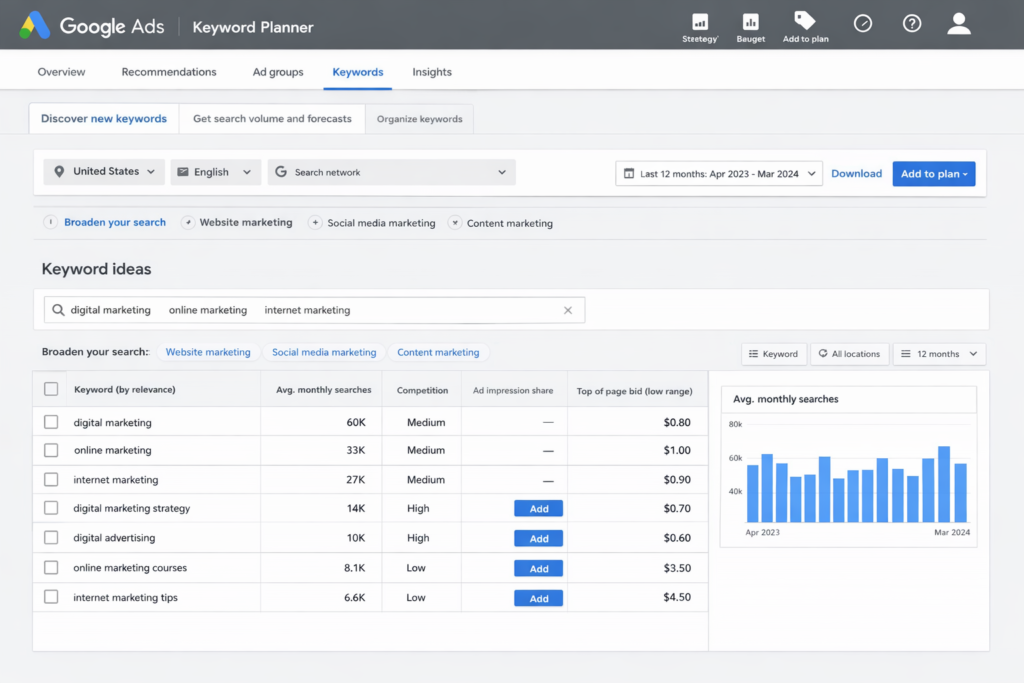
After finding keyword ideas, the next important step is analyzing them to choose the most effective ones. Google Keyword Planner provides valuable data that helps you evaluate which keywords are worth targeting.
Key Metrics to Analyze Keywords
When you analyze keywords in Google Keyword Planner,
Average Monthly Searches
Competition level
Cost per Click
3. Using Filters and Refinements
Use the filters to narrow down your keyword list. You can filter by location, language, and search network to find the most relevant keywords for your target audience. These options help you narrow down keyword results and focus only on the most relevant opportunities for your business.
Advanced Features
1. Keyword Forecasts
Keyword forecasting is an essential feature of Google Keyword Planner that helps you predict how your selected keywords will perform in the future. It provides estimated data based on historical search trends and current market behavior.
2. Historical Metrics
Historical metrics are a crucial feature of Google Keyword Planner that provide insights based on past keyword performance. These metrics help you understand how keywords have performed over time, allowing you to make smarter and more informed decisions.
3. Combining Keywords
Combining keywords is an advanced strategy that helps you create more targeted and high-performing search terms. With Google Keyword Planner, you can merge different keyword ideas to form powerful long-tail keywords that attract the right audience.
Best Practices for Using
1. Targeting long Tail Keywords
Long-tail keywords are highly precise search engine queries people use when they’re searching for something specific or searching conversationally. These queries attract relatively low search volumes and face relatively low competition from websites trying to show in the search results.
2. Balancing Search Volume and Competition
One of the most important aspects of keyword research is finding the right balance between search volume and competition. Using Google Keyword Planner, you can identify keywords that bring traffic while still being realistic to rank for.
Alternative
FREE KEYWORD TOOLS
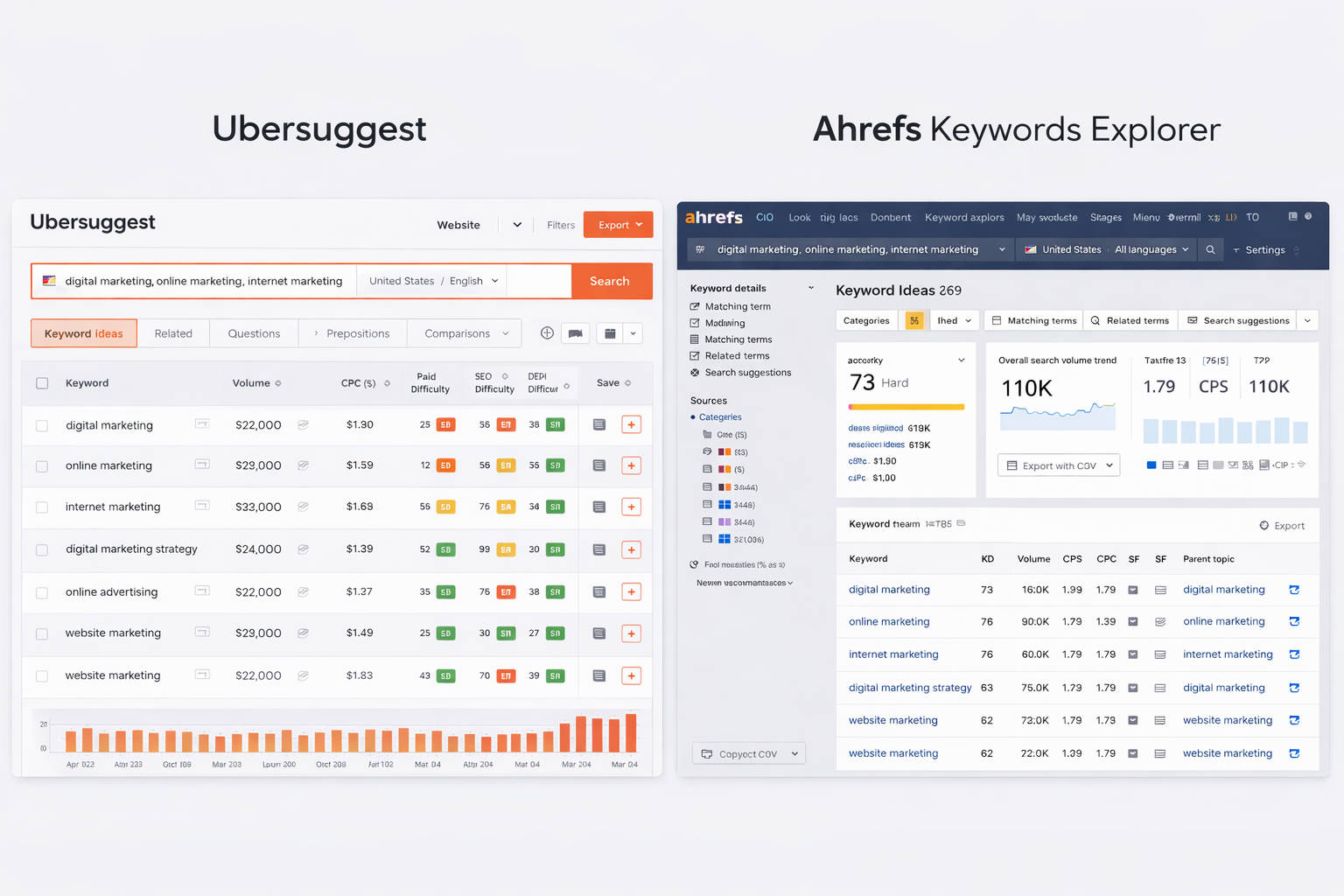
There are several other free tools available for keyword research, such as Ubersuggest, Anawerthepublic, Keyword Everywhere, Keyword Tool, KWFinder, and Google Trends.
PAID KEYWORD TOOLS
Paid keyword research tools like Ahrefs, SEMrush, and Moz offer advanced features and more comprehensive data. These tools can be particularly useful for larger businesses or more competitive niches.
As one of the most trusted keyword tools, Google Keyword Planner helps you discover the best keywords, analyze search volume, and understand competition. It allows marketers to build a strong keyword research strategy and effectively target the right audience. Without proper keyword research, even the best content may fail to reach potential customers.
In this blog, we will explore a complete step-by-step guide using the keyword planner for digital marketing. You’ll learn how to find high-performing keywords, improve your SEO strategy, and run better ad campaigns. From beginners to professionals, this guide will help you unlock the full potential of the Google planner tool and take your online marketing to the next level